


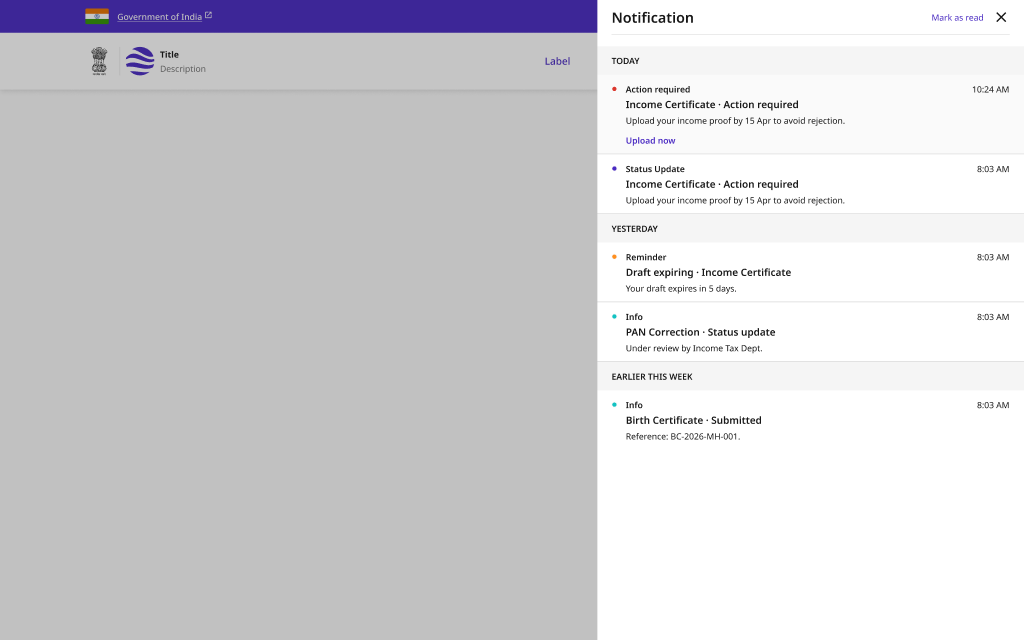
Notification Centre
A unified in-app notification drawer with unread indicators, date grouping, and mark-all-read. Gives citizens one place to review every alert across their services.
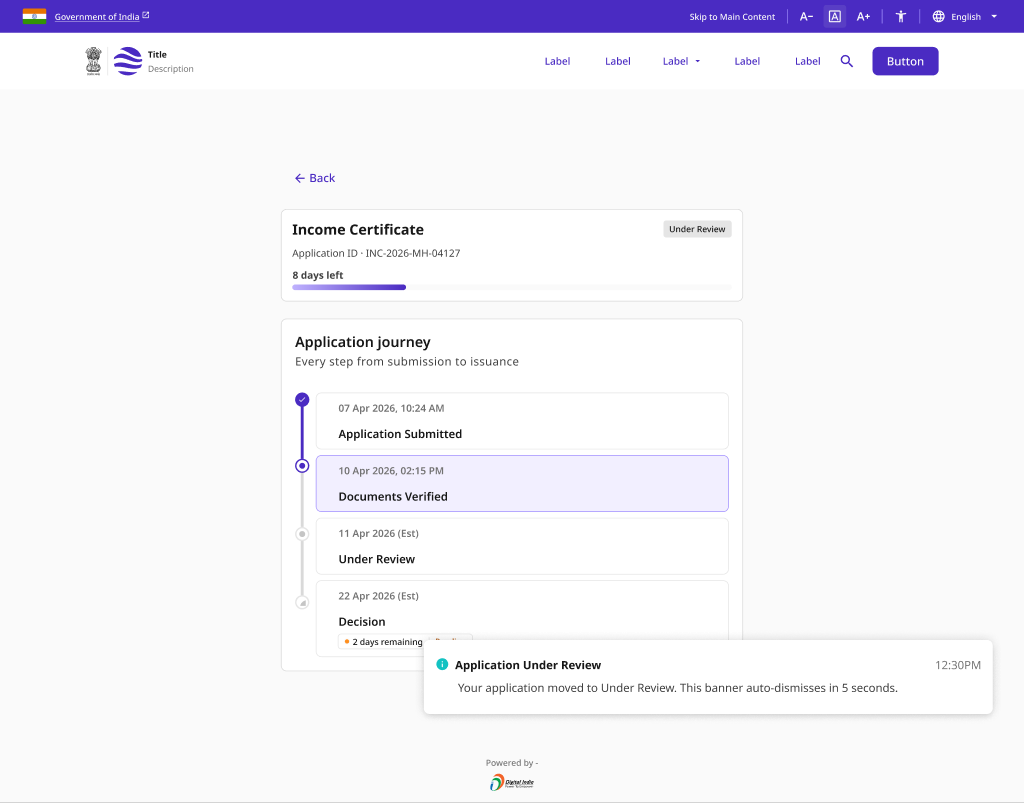
Proactive Status Updates
Real-time, in-app status updates delivered over a live WebSocket connection, with connection indicators, reconnection handling, and a fallback refresh prompt.
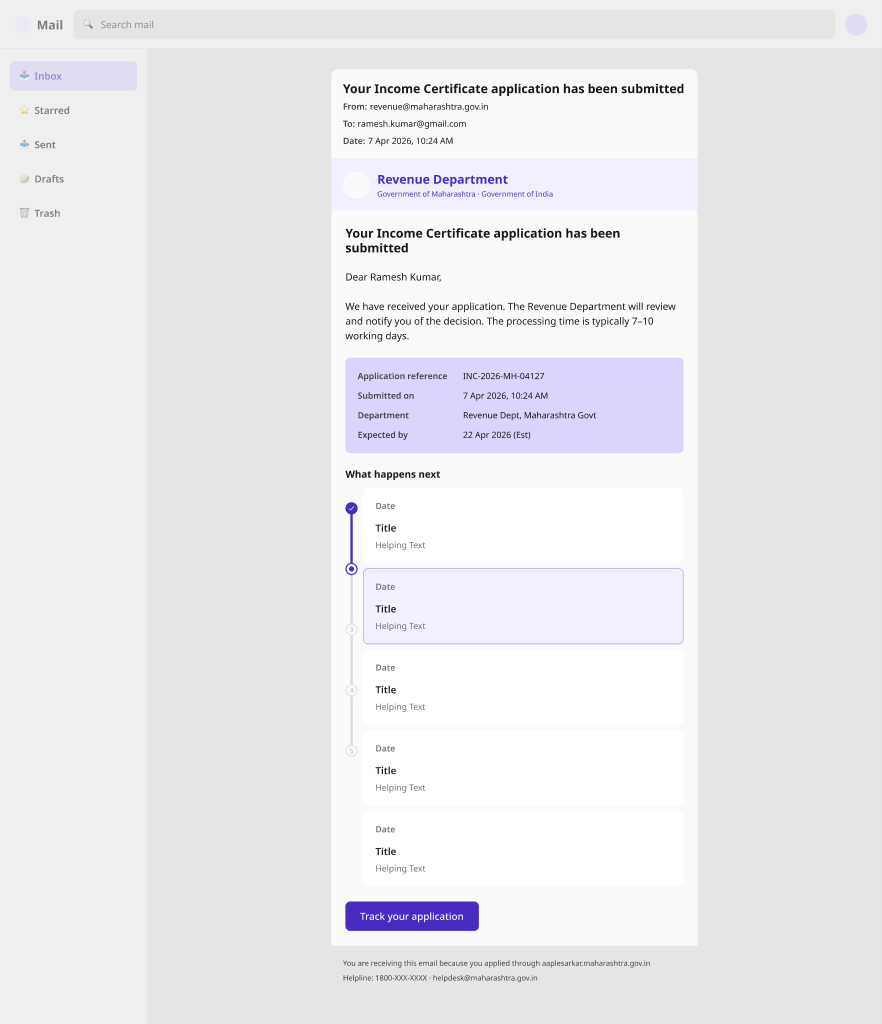
SMS and Email Notification Templates
Standardised, multilingual SMS, email, and WhatsApp templates for submissions, actions required, status updates, and rejections - including Hindi variants for citizens off the portal.
Reminder Sequences
Timed reminder cadences with escalating urgency for draft expiry, certificate renewal, and appointments - nudging citizens before a deadline passes.
Notification Preferences
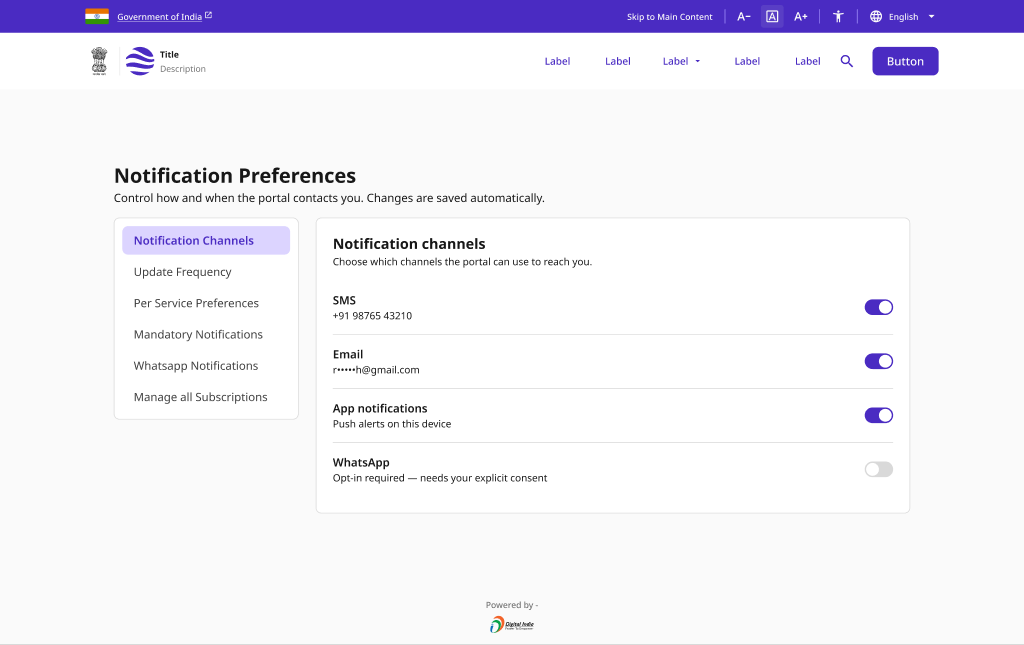
Granular user control over delivery channels, frequency, and per-service settings, with clearly-flagged mandatory notices and an explicit WhatsApp consent flow.
Pattern Overview
Purpose
Keep citizens informed across every channel - in-app, SMS, email, and WhatsApp - with proactive updates, timely reminders, and preferences they control.
- Surface every alert in one in-app notification centre
- Push proactive, real-time status updates as they happen
- Deliver standardised, multilingual SMS/email/WhatsApp messages
- Let citizens choose channels, frequency, and per-service settings
When to Use
- A service must notify citizens of status changes or actions
- Time-sensitive deadlines need escalating reminders
- Messages must reach citizens off the portal (SMS/WhatsApp)
- Users should control what and how they are notified
When NOT to Use
- A one-off transient toast within a single flow (use a component)
- Marketing or promotional broadcasts (out of scope)
- In-form validation feedback (use Application & Submission)
Primary User Goals
- Know what changed without checking the portal repeatedly
- Be reminded before a deadline passes
- Receive messages on my preferred channel and language
- Act directly from a notification where possible
- Control the volume and type of notifications I get
Accessibility Requirements
Every screen in this group is built to meet WCAG 2.1 Level AA — keyboard operable, screen-reader friendly, and resilient for low-bandwidth and assistive-tech users.
Notification Centre
- Unread count exposed via aria-label on the bell trigger
- Drawer is a focus-trapped dialog with Escape to close
- Date groups use headings so screen readers can navigate
- Read/unread state conveyed by text, not color alone
Live and Proactive Updates
- New status updates announced via aria-live="polite"
- Connection and reconnecting states conveyed in text + icon
- Refresh prompt is keyboard reachable and clearly labelled
- Live updates never steal focus from the user's current task
Multi-Channel Templates
- Emails use semantic headings and sufficient color contrast
- SMS content is plain text, front-loaded with the key action
- Hindi and other language variants use correct lang attributes
- Links have descriptive text, never a bare shortened URL alone
Preferences and Consent
- Channel toggles are labelled switches with a clear on/off state
- Mandatory notifications are marked as non-toggleable, with reason
- WhatsApp opt-in is an explicit, reversible consent choice
- Frequency and per-service controls operable by keyboard